

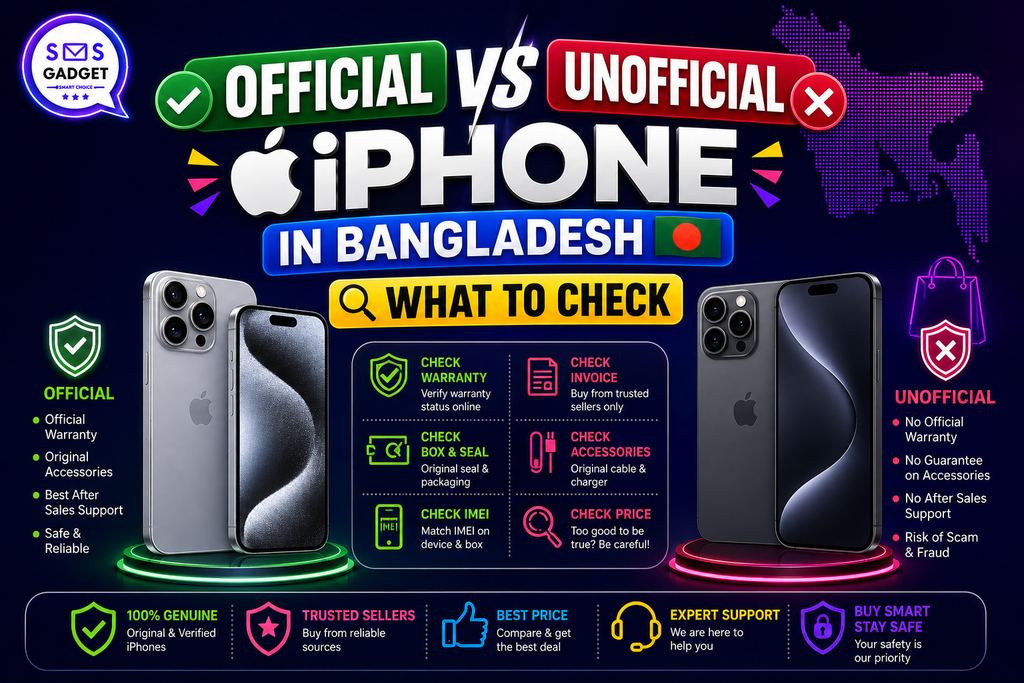
An unofficial iPhone can look completely identical to an official one and cost 10–25% less, which makes it tempting. But in Bangladesh’s current regulatory environment, “cheap” can turn into “unusable” faster than most buyers expect. The good news is this doesn’t require guesswork or luck. This guide lays out the exact checks anyone can run before paying, so every purchase, official or not, is made with full confidence.
Quick Checklist Before Buying
| Check | How | What It Means |
| IMEI & NEIR status | Dial *#06#, then KYD <IMEI> to 16002 or neir.btrc.gov.bd | Confirms the phone is legally registered on Bangladeshi networks |
| Apple Coverage Checker | checkcoverage.apple.com | Confirms model, activation date, and AppleCare status |
| Activation Lock | Ask for a factory reset in front of you | Confirms Find My iPhone/iCloud is off |
| Model/Region code | Settings > General > About | Confirms SIM type and regional compatibility |
| Warranty type | Ask directly, get it in writing | Confirms who actually honors it later |
| Invoice & packaging | Check for a proper VAT invoice | Confirms paper trail for resale/service |
What Does “Official” Actually Mean for an iPhone in Bangladesh?
Official = Imported Through Authorized Channels, Duty Paid
An official iPhone enters the country through a licensed importer, with duty and VAT fully paid and the IMEI properly logged, giving it full legal standing on local networks from day one.
Unofficial = Grey Import, No Duty Paid, Not Registered — But Not Automatically “Fake”
An important nuance most guides skip: unofficial doesn’t mean counterfeit. It usually just means the phone came in without duty being paid or without formal registration, the hardware itself can be a completely genuine Apple device. The risk isn’t authenticity; it’s compliance.
Why the Price Gap Exists?
Import Duty and VAT — The Real Reason Official Costs More
Official pricing carries the full weight of import duty and VAT baked in. Duty policy also isn’t fixed, in January 2026, the National Board of Revenue cut handset import duty from 25% to 10%, directly narrowing the price gap for a while before reverting closer to previous levels by mid-year. Watching the latest iPhone Price movements is the easiest way to know exactly how big that gap currently is.
Typical Price Difference in the Market
Even with duty shifts, official and unofficial units in Bangladesh typically differ by roughly 10–25%, depending on the model and how recently it launched.
Check #1 — Verify IMEI and NEIR Registration Status
Dial *#06# to Get the IMEI, Then KYD <IMEI> to 16002
Dialing *#06# instantly reveals the 15-digit IMEI. Texting KYD followed by that IMEI to 16002 returns an SMS confirming whether the device is registered.
Cross-Check at neir.btrc.gov.bd
The NEIR portal offers a more detailed second check, entering the IMEI there confirms registration status directly from BTRC’s official database, the same system used for enforcement nationwide.
What “Not Registered” Actually Means for Network Access?
An unregistered IMEI risks losing network access entirely, no calls, texts, or mobile data, even with a valid SIM inserted. This is now an active, enforced system in Bangladesh, so confirming registration status before paying is one of the most valuable two minutes a buyer can spend.
Check #2 — Verify With Apple’s Own Coverage Checker
How to Check Warranty/Activation Status Directly on Apple’s Site?
Entering the serial number or IMEI at checkcoverage.apple.com pulls activation and warranty data straight from Apple’s own records—a step most local guides skip entirely.
What It Tells You That BTRC’s Check Doesn’t?
This check reveals the phone’s original sales region, its activation date, and whether AppleCare is attached, details BTRC’s registration check simply doesn’t cover.
Check #3 — Confirm the iPhone Isn’t Activation Locked
Why Activation Lock Can Turn a “Working” Phone Into a Paperweight?
Activation Lock ties an iPhone to its original owner’s Apple ID. If that ID isn’t removed before the sale, the phone can become permanently unusable the moment it’s reset, with no legitimate unlock path available afterward.
How to Ask the Seller to Prove Find My iPhone Is Off?
A quick factory reset done in front of the buyer settles this instantly, if it asks for someone else’s Apple ID password afterward, walking away is the right call.
Check #4 — Know the Model/Region Code
US-Spec iPhones Are eSIM-Only — No Physical SIM Tray
This is a genuinely useful detail rarely mentioned elsewhere: US-market iPhones ship without a physical SIM tray, relying entirely on eSIM. For buyers used to swapping physical SIMs freely, this can be a real practical setback if it’s not caught before purchase.
How to Check the Model Number Against Apple’s Region Code List?
Going to Settings > General > About shows the model number, which can then be checked against Apple’s published region code list to confirm exactly which market the phone was built for.
Check #5 — Warranty Type and Who Actually Repairs It Later
Local Warranty vs “International Warranty” Claims
A proper Bangladesh-issued warranty is backed by the selling shop directly. Claims of “international warranty” often sound reassuring but aren’t always honored locally, so this is worth confirming in writing rather than taking on trust.
Trusted Sellers to Know
SMS Gadget stands out as one of the most trusted names for genuine iPhones with proper local warranty backing, alongside other established sellers in the market. Buying through a dependable iPhone Shop like this means warranty claims and after-sales support are handled by a real, accountable local team, not left to chance.
Check #6 — Packaging, Invoice, and Paper Trail
What a Genuine Official Box/Invoice Should Include?
A proper official purchase comes with a sealed box matching the serial number, plus a VAT-inclusive invoice listing the IMEI, model, and purchase date clearly.
Why a Proper Invoice Matters Later?
Beyond the purchase itself, that invoice becomes essential for resale, any future service claim, and resolving disputes if a NEIR registration question ever comes up down the line.
So, Is an Unofficial iPhone Ever Worth Buying?
If the lower price is your main priority, an unofficial iPhone can be worth buying, but only when the device is fully verified and the savings are significant enough to justify giving up local warranty support. For most buyers who want peace of mind, an official, IMEI-verified iPhone with proper warranty coverage remains the safer choice.
- When It Might Make Sense?
A fully IMEI-verified, NEIR-registered unit, bought from a price-sensitive buyer who doesn’t need local warranty coverage, can still be a reasonable choice, as long as every check above has already been run.
- When to Walk Away?
An unclear IMEI, a locked iCloud account, no invoice, or a price that feels too good to be true are all clear signals to pass and keep looking.
Frequently Asked Questions
How do I check if my iPhone is official in Bangladesh?
Dial *#06# for the IMEI, then verify it via KYD SMS to 16002 or directly on the neir.btrc.gov.bd portal.
What happens to an unofficial iPhone’s network access under NEIR?
An unregistered IMEI risks being blocked from local networks entirely, since NEIR enforcement is now active in Bangladesh.
Can an unofficial iPhone still get software updates?
Yes, software updates come directly from Apple through iCloud/Apple ID and aren’t affected by NEIR registration status.
Is a US-spec iPhone a problem in Bangladesh?
Not a dealbreaker, but worth knowing upfront—US-spec models are eSIM-only, so buyers who rely on physical dual-SIM setups should check the model number before purchasing.
Conclusion
None of these six checks take more than a few minutes, but together they turn a risky guess into a fully confident purchase. Verifying the IMEI and NEIR status, checking Apple’s own coverage tool, ruling out Activation Lock, confirming the region code, and getting warranty and invoice details in writing, that’s really all it takes. Bookmarking this checklist means the next iPhone purchase in Bangladesh will be the easiest one yet.
